Monday, August 24, 2015

Jenkins as a Hadoop Job Scheduler

"Which Way" by oatsy40
Jenkins is a well-known continuous integration server - checking out source code, running unit tests, yada yada yada.  However, because of its simplicity, I've been able to leverage it for a variety of use cases: lately, as a Hadoop Job Scheduler.

The expert panel pick was Oozie.  But whenever I asked those "experts" for their use cases for Oozie, they'd tell me, "Oh, I've never actually used it, just heard that's what you do."  Well, that's just great.  I played around with Oozie by scheduling a simple "echo 123" command. It launched a JVM on all the nodes and never printed the result. At my company not everything we schedule on the Hadoop cluster is a Hadoop job, and certainly not a map-reduce job. We have bash scripts that verify data. We have groovy scripts that poll a database on a different server, and if triggered, then run a Hadoop job. I found Oozie to be cumbersome and limited in features.

The underground pick was Azkaban, created by LinkedIn. I looked at that and liked the simplicity of job workflows being described as plain text files. I loved the workflow diagrams it provided, giving you a clear picture of the interoperability of multiple jobs.  However, it too was limited in features. In particular, the setting for concurrent builds was an all or nothing setting at the global level.  We wanted the ability to allow a max number of things going on at a time globally, as well as limit certain types of jobs to only one of this or that type of job.

Jenkins is what came to mind, but I felt peer-pressure to try Oozie and Azkaban. Jenkins was not a popular choice for scheduling Hadoop jobs. Did I say not a popular choice? I mean that I heard things like, "Nobody in their right mind would choose Jenkins for this! Isn't Jenkins for continuous integration?!? "... but wait a minute!

Here's what we get with Jenkins:

Ability to run any command
  Not just Hadoop sorts of jobs like java mapreduce, sqoop, pig, or hive, but absolutely anything that can be scripted. You can use the right tool for the job and conditionally launch those parallel Hadoop jobs.


Cron-like scheduling
  Basic, I know. Most tools have this, but Jenkins's is also easy to use.

Email notification
  One neat thing about Jenkins is the plugin ecosystem is very active. There are plugins for templated emails, plugins to fail the build given certain text in the console, send a tweet, send an SMS text message, and so on.

Console log streamed to web UI
  We have a nice history of all the job output from scripts and Hadoop driver output all in one place on Jenkins. We can cap the history at any number of builds or by date.

Some concurrent job support
  Jenkins has a global maximum in the Manage Jenkins administration screen and each job can be set to allow concurrent builds or not.  There is also a plugin to give you finer control over builds. (See Throttle Concurrent Builds Plug-In)

Parameters for ad-hoc runs
  This feature is really handy and I've not found it with other tools. Jenkins has two ways to programmatically kickoff a build: a command line (CLI) and a REST API.  We basically built a job submission UI which launches a Jenkins job underneath, giving us all that history, progress, and console output, not to mention failure notification. (Of course, Jenkins also has a standard way of prompting you for parameters of a build when using the UI directly.)

Limitations:
I recognize there are limitations to what Jenkins can do - it is not an enterprise scheduler. So we may someday outgrow Jenkins and migrate over to an enterprise scheduler. However, it's been a great ride for the past 2 years of getting Hadoop going the way we wanted.  Here are a few of those limitations:

 - No way to setup automatic reruns of failed jobs
 - No cross-system control where a client can streaming feedback to a server to trigger other jobs
 - No dashboard view of jobs that ran at a particular time of day
 - Poor load control; other tools can limit the number of instances of specific kinds of jobs based on capacity
 - We ran Jenkins on our submitting edge node, in the cluster. Depending on your security, you may not have that luxury

Nonetheless, If you are searching for a lightweight way to get more exposure to your Hadoop cluster, I recommend giving Jenkins a shot.
Read More »

Monday, June 15, 2015

Dependency Injection on Hadoop (without Guice)

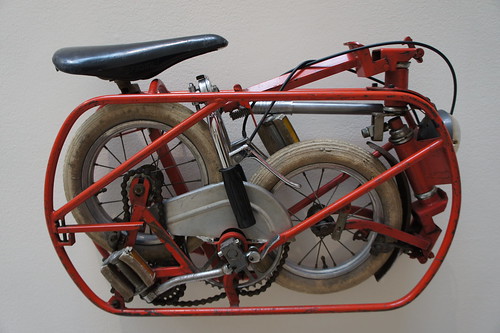
"Folding Bike" by dog97209
Does your Java map-reduce code look like a bunch of dominoes strung together, in which you can't play one piece until you have the other 2 chained together to get to that point? There is so much cruft - so much bootstrapping code - in the Mapper and Reducer setup methods. When it comes to Hadoop, we seemed to have thrown away what we learned from other software projects. If you don't believe me, just take a look at any WordCount example and you'll see nested classes inside one super class. I get the brevity, but I've seen people take this code, and put the blinders on when working with big data. They view it as a quick and dirty job to get at some result. Instead, I view it as a living breathing application that you can extend and maintain. That's why I propose using Dependency Injection on Hadoop. It will decouple your code and make it testable - YES, I said testable Hadoop code! Each class can focus on the bare minimum pieces it needs to carry out its duty. For example, you could inject an instance of Counter rather than pass around Context to every class that needs to increment it (or heaven forbid, mocking out an entire Context for test). Here's how you get there.

Enter... Spit-DI - a lightweight dependency injection framework built for Hadoop.

Spit-DI overcomes the challenges unique to the Hadoop map-reduce framework, where you are given a Mapper or Reducer as your starting point. You are not in control of instantiating Mappers and Reducers. Spit-DI allows you to set dependency instances on the Mapper or Reducer itself. It works by using a temporary IoC Container (just a Map) that pushes out the queued up singleton values when inject() is called. Spit-DI uses the JSR250 @Resource annotation. It works with statics. It finds and injects those same annotations on parent classes of an instance. It's tiny. It's simple. Give it a try!

But hold the phone. There are so many wonderful DI frameworks out there already, right?

Well... none that fit the Hadoop use case very well.  Here was the rationale for creating Spit. Many thanks to Keegan Witt for investigating each of the ones out there.  It was one of those things that seemed easy in principle, but became painful in practice.
  • We first thought of Spring, but it felt a little heavy-handed for what we were trying to do. If we were already using Spring for other purposes, we probably would have just used this for DI.
  • Then found PicoContainer, but we wanted to inject fields based on an annotation of a certain name. That is, if a class had two Strings on it, stuffA and stuffB, both could be injected. Pico offered NamedFieldInjection and AnnotatedFieldInjection, but not both at the same time. It also was not ideal in that did not work with JSR250's @Resource annotation.
  • We also found Plexus. It was pretty specific to the maven repository use case and its syntax was not very terse.
  • We really wanted to use Guice because it seemed to be gaining popularity as a lightweight DI framework. So we brought it in and started working with it. It got us farther, but still fell short of our desires. Here's why Guice did not fit our Hadoop project and why I wrote Spit-DI. (Please bear with me. I'm anticipating most readers will suggest Guice so I feel the need to defend myself by walking through some examples here.)
  1. Lack of JSR250 annotation support. Guice relies on its own @Inject annotation, not standard javax. Mycila extension adds this, but when you switch to using javax @Resource, you are unable to mixin the following @Optional and @Nullable - those only work with Guice's own @Inject.  Here's how your code looks using Guice annotations:
    @Inject
    String stuffA;
    
  2. Redundant by-name bindings. Guice out of the box requires @Inject @Named("stuff") String stuff, rather than relying on the name of the variable by convention. Having to litter the code with @Named("sameAsVariableName") is not ideal.  Here's how your code looks now:
    @Inject @Named("stuffA")
    String stuffA;
    @Inject @Named("stuffB")
    String stuffB;
    
  3. Optionals. You may wish to use a model with injected things on it both in Map phase and Reduce phase, where some injected properties only make sense for Map phase and some only make sense in Reduce. Having to litter the code with @Optional is not ideal. And now you see it's getting worse...
    @Inject(optional=true) @Named("stuffA")
    String stuffA;
  4. Nullables. It may be the case that you are injecting a null to a field and that is valid - especially when unit testing.  Having to litter the code with @Nullable is not ideal.
  5. @Inject(optional=true) @Nullable @Named("stuffA")
    String stuffA;
    
  6. Statics. It was working against the grain, but we actually wanted some static fields on our POJOs because we wanted to create instances based on input data and asking the container to wire a new one up for you everytime was innefficient.  We have domain entities with static fields (singletons) that are set once up front but available for reference by each smart domain model. More cruft...
    @Inject(optional=true) @Nullable @Named("stuffA")
    static String stuffA;
    
    //...elsewhere in Guice config...
    requestStatic(binder(), MyClass.class);
    

Ok. Now do you believe me? Are you ready for the clean and simple way using Spit-DI?!!

Hadoop map-reduce with Spit-DI:
class MovieMapper extends Mapper {
   @Resource
   private Movie movie;

   @Override
   protected void setup(Context context) {
      DependencyInjector.instance().using(context).injectOn(this);
   }
}

class Movie {
   @Resource
   private Counter numMoviesRequested;
   
   public Integer getYear(String title) { 
     numMoviesRequested.increment(1);
     // more code...
   }
}

/**
 * You can have a wrapper class around Spit-DI for all your configuration.
 * (We have a TestDependencyInjector as well for the context of unit testing.)
 */
class DependencyInjector {
   private SpitDI spit = new SpitDI();

   public void injectOn(Object instance) {
      spit.inject(instance);
   }

   public DependencyInjector using(final Mapper.Context context) {
      spit.bindByType(Movie.class, new Movie());
      spit.bindByName(Counter.class, "numMoviesRequested", context.getCounter("movies", "numMoviesRequested");
      return this;
   }
}

Ah, I can breathe again. In conclusion, Spit-DI doesn't have all the features of the others, but it was all we ever wanted for Hadoop Dependency Injection. I hope it works for you too. Please leave your feedback and feature requests and happy coding!


(PS: I realize it has been 2 years since my last blog. I switched from Web Development to Hadoop Development so it took me this long to have my own thoughts, I guess. :) Hopefully, more to come!)
Read More »

Monday, March 18, 2013

Unit of Work Pattern Proved Useful in the View Layer

Today, I'm going to talk about the Unit of Work pattern and how it can be useful in a presentation tier.  For those of you familiar with this pattern, it was intended for aggregating an object and later committing to a database. The book definition for Unit of Work is:


Maintains a list of objects affected by a business transaction and coordinates the writing out of changes...

I discovered that at least part of this - Maintains a list ... and coordinates the writing out of changes - proved useful in creating cohesive, reusable web components.  Why?  Because in today's rich web experience, those components are comprised of both HTML and JavaScript.  HTML has a one-to-one correspondence between tag and element on the web page.  However, with JavaScript we can ascribe behavior to multiple elements at once; it can be one-to-many.  HTML is the templating language and so where it appears in the source matters.  JavaScript augments that markup and can be done before or after the page is rendered.  Let's walk through an example using Unit of Work for a "Unit on the Screen".

We're all in agreement that attaching JavaScript behavior after your DOM like this is good. It has Separation of Concerns. Putting it at the bottom allows the page to load faster.

// markup
<html>
 <body>
  <form>
   <input id="firstName" name="firstName" type="text" class="textbox">
   <input id="middleName" name="middleName" type="text" class="textbox">
   <input id="lastName" name="lastName" type="text" class="textbox">
   <input id="birthDate" name="birthDate" type="text" class="datebox">
  </form>
 </body>
 <script src="behavior.js"></script>
</html>

// behavior.js
$(document).ready(function() {
 $(".textbox").change(function() {
  Utils.uppercase($(this));
 });
 $("#birthDate").datepicker();
});

But what if we want to make some reusable components for our application? Afterall, that is the principle of DRY, Don't Repeat Yourself.

// ui:text
<input id="{{id}}" name="{{id}}" type="text" class="textbox">

// ui:date
<input id="{{id}}" name="{{id}}" type="text" class="datebox">

// markup
<html>
 <body>
  <form>
   <ui:text id="firstName"/>
   <ui:text id="middleName"/>   
   <ui:text id="lastName"/>   
   <ui:date id="birthDate"/>   
  </form>
 </body>
 <script src="behavior.js"></script>
</html>

// behavior.js
$(document).ready(function() {
 $(".textbox").change(function() {
  Utils.uppercase($(this));
 });
 $("#birthDate").datepicker();
});

This is bad. The caller of ui:text has no way of knowing the class of the resulting element to setup the CSS Selector. Also, the caller can forget to attach the behavior and the idea of reusable "ui:text" is not preserved within the application as being consistent. There is no cohesion.

Solution: BottomJS. It implements the Unit of Work pattern to have the reusable component render HTML and also add the JavaScript to be attached later at the bottom of the page.

// ui:text
<input id="{{id}}" name="{{id}}" type="text" class="textbox">
<ui:bottomJs>
$(".textbox").change(function() {
 Utils.uppercase($(this));
});
</ui:bottomJs>

// ui:date
<input id="{{id}}" name="{{id}}" type="text" class="datebox">
<ui:bottomJs>
$("{{id}}").datepicker();
</ui:bottomJs>

// markup
<html>
 <body>
  <form>
   <ui:text id="firstName"/>
   <ui:text id="middleName"/>   
   <ui:text id="lastName"/>   
   <ui:date id="birthDate"/>
  </form>
 </body>
 <ui:bottomJs/>
</html>

Generates the following. The reason is BottomJS builds an in-memory set of the JavaScripts to be added at the last step so redundant calls are ignored.

<html>
 <body>
  <form>
   <input id="firstName" name="firstName" type="text" class="textbox">
   <input id="middleName" name="middleName" type="text" class="textbox">
   <input id="lastName" name="lastName" type="text" class="textbox">
   <input id="birthDate" name="birthDate" type="text" class="datebox">
  </form>
 </body>
 <script>
  $(document).ready(function() {
   $(".textbox").change(function() {
    Utils.uppercase($(this));
   });
   $("#birthDate").datepicker();
  });
 </script>
</html>
Read More »

Tuesday, February 19, 2013

TID: Test-If-Development (A more pragmatic TDD)

The moment you need to introduce some if-logic into a method, you jump over to write the test, but not before.  This approach argues it is unnecessary overhead to write the test before you create the method because the method could be absent of any conditions, in the case it is comprised of calls to other methods.

Example - not needing a test


void populateContactInfo() {
   populateName();
   populateAddress();
   populatePhone();
}


Example - needs at least 2 tests because there are 2 branches of code


void populateContactInfo() {
   if (hasName) {
       populateName();
   }
   else {
       populateDefaultName();  
   }
   populateAddress();
   populatePhone();
}


The phrase Test-If-Development has one other benefit.  That is,"If" you are doing "Development", you "Test". Period.
Read More »

Tuesday, December 18, 2012

Programmer Productivity Hypothesis

Good ole code coverage

Based on my observations and experience, I believe the following to be the business case for paying down Tecnical Debt.

  • The acronym "DRY" stands for Don't Repeat Yourself. 
  • Code Coverage means the lines of code exercised by automated tests.


DRY code yields full percentage gains in productivity.

If you have 100% duplicated code and clean it up to 0% (purely hypothetical) then your productivity improves by the same 100%. In other words, what took a team of 8 now takes a team of 4 because the amount of code to wade through is half. If your team did 16 points per sprint, they can now do 32.

Thus,
PRODUCTIVITY = MAX_PRODUCTIVITY * (1 - DUPLICATION)


Example: Team currently does 20 points, has 30% duplicate code. Their maximum productivity is...
     20 = MP * .7
     MP = 20 / .7 = 28 points
   This means the team could work on lowering duplication from 30% to 0% to bring up their productivity from 20 to 28.  Now size what kind of effort that would take to reduce duplication in order to make the right business decision.


Code Coverage yields half percentage gains in productivity.

If you have 0% Code Coverage and write unit tests so that it reaches 100% (purely hypothetical) then your productivity improves by 50%. This is due to the fact that while unit tests reduce defects and rework, it creates more code to maintain. In other words, what took a team of 8 now takes 6 because you can modify code, refactor safely, and add tests more easily. If your team did 16 points per sprint, they can now do 24.

Thus,
PRODUCTIVITY = MAX_PRODUCTIVITY * .5 * (1 + CODE_COVERAGE)

Example: Team currently does 20 points, has 30% code coverage. Their maximum productivity is...
     20 = MP * .5 * (1 + .3)
     MP = 20 / .65 = 30 points
   This means the team could work on increasing code coverage from 30% to 100% to bring up their productivity from 20 to 30.  Now size the effort it would take to write that many unit tests in order to make the right business decision.


Please let me know your thoughts.
.
Read More »

Thursday, August 16, 2012

Presentation - ATDD Survival Guide

Download the presentation here: Slide Deck

Abstract:
Learn how to implement Acceptance Test Driven Development on any technology platform… even yours! Come for Engineering tips and Business Acceptance Tests tips to avoid a tangled mess.  See how ATDD can fit into your process.
Read More »

Thursday, February 9, 2012

Putting Apache in front of Tomcat

Download and install Apache as a service.
Download mod_jk.so and drop in Apache/modules/ directory.
Modify Apache/conf/httpd.conf

   LoadModule jk_module modules/mod_jk.so
   Include conf/extra/httpd-vhosts.conf

Modify Apache/conf/extra/httpd-vhosts.conf

   JkWorkersFile "/Tomcat/conf/workers.properties"
   <virtualhost *:80="">
      JkMount /* ajp13-8080
   </virtualhost>

Start Apache.
Download and install Tomcat as a service.
Create Tomcat/conf/workers.properties

   workers.tomcat_home="/tomcat"    
   workers.java_home="/Program Files/Java/jdk1.7.0_02"
   ps=/    
   worker.list=ajp13-8080 
   worker.ajp13-8080.port=8009 
   worker.ajp13-8080.host=localhost 
   worker.ajp13-8080.type=ajp13 
   worker.ajp13-8080.lbfactor=1

Start Tomcat.

That's it!
Read More »

Wednesday, January 25, 2012

Presentation - Agile Points FTW!

Download the presentation here: Slide Deck

Abstract:
Why estimate in Points instead of Hours? Come learn how playing poker can give you more productivity at work and eliminate those wasteful estimation processes.
Read More »

Wednesday, October 12, 2011

Presentation - Hudson/Jenkins: Beginner to Expert

Here is the presentation I gave at COJUG


Abstract:
Come learn appropriate practices for Continuous Integration in an Agile age. Jenkins (a.k.a. Hudson) is a flexible CI solution. I'll walk us through its simple setup, show some of the plug-ins, and then dive into leveraging Jenkins for a multi-application, enterprise solution. I think you'll see that Jenkins can not only perform the CI duties of build with unit tests, but can also serve as a dashboard for numerous deployment and automated tasks.

.
Read More »

Friday, September 30, 2011

Migrating from Git to Svn and Svn to Git

The following steps will migrate to and from GIT while maintaining all commit history.

svn2git# First, create a new GIT Repo
# Then, do the following
git svn init <svnUrl>/<svnRepoName>
cd <svnRepoName>
git svn fetch
git svn rebase
git remote add new <user>@<gitRepo>
git push new master

git2svn# First, create a new SVN Repo (with at least 1 file in it)
# Then, do the following
git svn clone <svnUrl>/<svnRepoName>
cd <svnRepoName>
git remote add old <gitRepo>
git fetch old
git checkout -b old_master old/master
git rebase --onto master --root
git svn dcommit
Read More »

Wednesday, September 28, 2011

SVN Migrate folder to new repository root

Since I've been asked about Subversion's "svnsync" command more than once, here is a copy of my post on stackoverflow.

The svnsync option worked for me with subversion 1.5.3.
Here is a Windows batch script to accomplish this:
SET OLD_REPO_URL=https://old-project-repo/my-project
SET NEW_REPO_URL=C:/Repositories/new-project-repo
SET NEW_REPO_FILE_PATH=C:\Repositories\new-project-repo

svnadmin create %NEW_REPO_FILE_PATH%
echo exit 0 > %NEW_REPO_FILE_PATH%\hooks\pre-revprop-change.bat

svnsync init file:///%NEW_REPO_URL% %OLD_REPO_URL%
svnsync sync file:///%NEW_REPO_URL%
Note: You will not be able to browse the new repository until the sync is finished.
Read More »

Tuesday, September 6, 2011

Explaining 'Agile Coach' in Social Circles

It was hard enough for me to explain my job before, when I was an IT Consultant. Half the time I'd say things like: "Well there's my software development job for the client... Then there's the company I work for..."
Now that I am an Agile Coach, it's even harder to explain, and I see people tend to shutdown when I try - i.e. it's too fuzzy and unfamiliar for them to ask any follow-up questions. As a result, sometimes I just resort to saying, "I'm a Software Developer." Problem is, that implies two things, neither of which are true in my case:
  1. That I am a computer programmer writing software.
  2. That I sit in a cubicle all day, getting my "Nerd" on, and not interacting with people.


Here's my latest thought on Explaining 'What I do as an Agile Coach' to Social Circles (i.e. non-IT people at parties, family events, etc.)
  1. I teach IT people on Teamwork.
    - It used to be people sat in front of their computers all day in offices or cubicles (like "Office Space"). Now we stick teams of 10 in a room and make them collaborate and design together. Software Development is a very creative process so we often have toys and colorful rooms like an Art Studio.
  2. I teach IT people about being Transparent. (and honest and realistic)
    - Since we're typically a bunch of engineers - not the most social animals - we are not very good at communicating with the business and users of the applications about issues and progress of their new features of their website or mobile app.
    - So it sounds like Kindergarten, but we write the features on index cards or post-its and stick 'em on a wall. And we talk about them everyday and have demos on work-in-progress frequently with anyone who cares.
    - There are people committing to deadlines and I try to ensure that expectations are realistic given the challenges of creating something that's never been done before.
  3. I teach Managers to Trust.
    - As you can imagine, the transparency thing only works if you have upper management bought-in and trusting that their people are doing the best they can given the circumstances.
    - So instead of managers telling the people under them what to do, I teach them about "servant leadership" which completely reverses their thinking.
    - Instead of command and control, micro-management, I coach the Managers into asking the Teams things like, "What do you need from me today to be successful?" or "How can I help you?". It flips the organization upside-down and the Team begins to feel empowered to work better. They have the full support of their Managers to unblock issues for them and now everyone can work toward the same, common goal of creating a better - and more profitable - company.
Read More »

Wednesday, June 22, 2011

IDEs for the Polyglot Programmer on Windows

First off, I'm never going to pay for an IDE. It goes against my nature of being resourceful and cheap. Here is what I've found in the Open Source space. I am not talking about pure Java Enterprise development. (For that you should standardize on one of the big 3: eclipse/netbeans/intelliJ). This is for the person who enjoys playing in Ruby, Groovy, PHP, or your language of the day. On a Mac, I'm told the favorite is TextMate. But what should we use on Windows....???

IDE
1. Komodo Edit - very lightweight (50MB RAM). Ctrl+J for code completion. Add-ons are great and done like Firefox add-ons. No Groovy.
2. Aptana Studio - awesome Git integration. it's eclipse with better layout and color scheme. but it's a bit bulky (150MB RAM). No Groovy.

Just a Text Editor with Syntax Highlighting:
Notepad++

No
RubyMine - cool, but only 30-day trial is free.
SciTE Scintilla Based Text Editor - just a text editor. Notepad++ is better.

Read More »

Monday, June 13, 2011

Groovy JMX MBean Viewer instead of JConsole

You might be monitoring something with JConsole, and thinking, how can I automate this check?

Answer: With Groovy!

Here is an example of how easy it is to probe an ActiveMQ MBean that sits on 2 App Servers.

import javax.management.remote.*

['11.12.13.123', '11.12.13.124'].each { serverIp ->
   def server = jmxConnect(serverIp)
   def mbean = new GroovyMBean(server, 'org.apache.activemq:BrokerName=appEventBroker,Type=Queue,Destination=appEventQueue')
   println "On app server $serverIp"
   printQueueStatus(mbean)
}

def jmxConnect(serverIp) {
   def url = "service:jmx:rmi:///jndi/rmi://$serverIp:8999/jmxrmi"
   def env = [(JMXConnector.CREDENTIALS): (String[])['myRole', 'myPassword']]
   def connection = JMXConnectorFactory.connect(new JMXServiceURL(url), env)
   def server = connection.MBeanServerConnection
   return server
}

def printQueueStatus(mbean) {
   println "DequeueCount: $mbean.DequeueCount"
   println "EnqueueCount: $mbean.EnqueueCount"
}

Read More »

Monday, April 11, 2011

Presentation - Hudson/Jenkins: Beginner to Expert

Here is a presentation I am giving at The Columbus Polyglot Programmers Meetup Group


Abstract:
Learn appropriate practices for Continuous Integration in an Agile age. Hudson (forked as Jenkins) is a flexible CI solution. This presentation walks us through its simple setup, show some of the plug-ins, and then dives into leveraging Hudson for a multi-application, enterprise solution. I think you'll see that Hudson can not only perform the CI duties of build with unit tests, but can also serve as a dashboard for numerous deployment and automated tasks.

.
Read More »

Monday, March 28, 2011

Old Presentations Made Available

I've consolidated some of the presentations I've done in the past and put them on SkyDrive.
Read More »

Thursday, March 18, 2010

Release Naming Strategy

This is my preferred Release Naming Strategy. Not a big deal if you disagree, at least you have a template so you can document your strategy.

Externally:
<major>.<minor>.<patch>
ex. 1.03.8

Internally:
<major>.<minor>.<patch>-<hudson-build-number>
ex. 1.03.8-27

<major> - Introduces major new functionality and often involves marketing. Resets the minor number to 00 and patch number to 0.
ex. 2.00.0 (May be referred to as the “2.0” release.)

<minor> - Indicates an addition of some features. Always two digits with pre-fixing zero for numbers less than ten. Releases should sort numerically, not alphabetically. This allows for a buffer of incremental minor releases before incrementing the major number which has different perception to the end user. Resets the patch number to 0.
ex. 1.09.0, 1.10.0, 1.11.0 (May refer to 1.11.0 as the “1.11” release.)

<patch> - Indicate a fix (ie. fixing a bug, improving performance, or an internal change without impacting functionality such as logging). Goes up by one every time a patch is officially added to the version. Use a single digit here because you should not have as many as 10 unplanned patches prior to a minor release.
ex. 1.03.1, 1.03.2, 1.03.3 and so on

Release Notes Template with Example


Read More »

Monday, March 1, 2010

Jackrabbit JCR: Part 1 - Getting Started

Working at Quick Solutions, I have become an expert on the Java Content Repository. Many wish to stand-up a repository but reading through mounds of documentation is often too great a barrier. What if it were as simple as download and start? Well here you go!

Start the Repository
  1. Download jackrabbit-standalone. Unzip it.
  2. At a command prompt in the unzipped directory, type:
    > startRepo
Tools to Communicate with the Repository
  1. A Web browser. Browse to http://localhost:8123/
    Click "Browse" along the left menu.
  2. A WebDAV Client. Download AnyClient. (Freeware)

    Host: http://localhost:8123/repository/default/
    Username: admin
    Password: admin
    Connection type: WebDAV

  3. Command line. Download jcr-commands. (I can't take credit for this. License Info here.)
    At a command prompt in the unzipped bin directory, type:
    > run
    For this tool you must connect through RMI, not HTTP, so type:
    > connect rmi://localhost:1099/jackrabbit
    > login admin admin
    > ls
  4. Java Code. Download JcrTalker. Unzip it.
    At a command prompt in the unzipped directory, type (notice the trailing slash):
    > groovy JcrTalker.groovy /

(Note: The .bat files used above can easily be translated to shell scripts or Mac scripts to suit your non-windows needs.)
Read More »

Thursday, February 11, 2010

Web UI Strategies: A Conceptual Take

From Rails to PHP, JSPs, ASPs, Flex, and straight up JavaScript, how do you choose a view technology for your RIA website?
Even within just the Java world, there is Tapestry, Stripes, Wicket, JSTL and JavaFX.
So where do you start? Find out what they mean at their core.
I see only 2 Web UI Strategies:

  1. Data first-View second
  2. View first-Data second


Data first-View second
(1st Generation Client-Server Strategy)
This is when you make a request, the server processes the request, comes up with all the data needed to populate the page and renders the page back to the client as HTML with the data in it.
i.e.

http://server/customer.page -> [Server side logic] -> fill in the template with data -> html on page

Examples:
PHP, ASP, JSP, JSTL, JSF, Tapestry, Freemarker, Wicket, Tiles, Sitemesh

Each of these views are Dynamically pieced together and Interpreted by the client browser at runtime.

The server mashes up the page layout with the data!

Think Run-time.


View first-Data second (2nd Generation Client-Server Strategy)
This is when you make a request, the server gives you a view that you download.
The view knows how to populate itself and makes a request to the server to do so.
i.e.

http://server/customer.page -> [Client downloads view from Server] -> html on page -> now fetch data from Server to fill it in

Examples:

Flex, Silverlight, JavaFX,
GWT, Generic Onload AJAX

Flex, JavaFX, and Silverlight are "sheltered" in their own runtime within the browser. Each of those 3 and GWT have a concept of getting precompiled, which aids in finding bugs earlier in the process. All make use of additional server requests after the fact to fetch the data. This idea of pushing data off until later, has been made possible with high-speed internet connections and more bandwidth where it is no longer a problem to make more HTTP trips to the server.

The view works standalone by itself with -or without- data!

Think Compile-time.

Read More »

Sunday, January 24, 2010

A Message from Computer Geek to the Average Computer User

Paul's Computer Tips:

As a computer geek, I frequently get asked by others to help fix their computers. I've come to realize that, although people are conditioned to expect maintenance on their cars and - over the years - have come to grips with car part failure, people expect their computers to always work without investing any maintenance in it. People are devestated when I tell them they need a new hard drive and ask, "So where's the backup disks?" They look at me like I'm taking crazy pills, and say [rather angrily] "Why should I make backups; the thing should work like it did yesterday."

I think this is a price of the microwave era where people expect electronics to make their lives easier and instantly work. When they don't it's like the scene in Office Space where you want to kick the printer in frustration. A computer is a man-made electronic running man-made software - it is not fail safe. It is very complex and before you buy into its gizmos and gadgets, let me set some realistic expectations.

  • Software: Windows often becomes unstable after about 2 years. You should plan for re-installs of Windows every two years to prevent a slow performing computer. I partition my harddrive into 2 and put my data on the 2nd so that I can easily re-install the Windows Operating System and not overwrite my data.
  • Software: Over time, the more programs you install - even if you uninstall later - leave a trail on your system which can either cause conflicts down the road or make it run slower. To prevent this, keep your computer simple and don't install unnecessary programs. One bit of maintenance which helps is to defrag your hard drive about once every other month which consolidates files on your hard drive so they can be found faster.
  • Software: Viruses - often come from porn sites, software piracy sites, and spam email. Avoid these sites and keep an up-to-date virus scanner program. My favorite is Kaspersky Anti-Virus. (I do not use their Internet Security product because, combined with being careful where you visit, the Anti-Virus product is sufficient.) (Anti-virus software costs about $40 per year...well worth it!)
  • Hardware: Your harddrive can begin to fail over the years. It may have enough left in it to spin up when you power on, but not enough to boot up Windows. I'm not sure how to prevent this - but I believe not leaving the computer on 24/7 and giving this device a rest will help give it longer life. (A new hard drive costs $50-$100.)
  • Hardware: I've seen a computer not power on due to bad power supply. (A new one costs $20-$40.)
  • Your computer working is not a sure thing. Because both software and hardware failures can occur, you should backup your data regularly. The only one to blame for loss of data during a computer crash is yourself, not the computer.
New Advanced Users Section:

Take notice of what programs are running in the background that you don't need. Every time you install something, that program wants to take over your computer and put itself at the forefront. For example - it may auto-load when you start; it can try to set your home page to its home page; it often creates a new toolbar in your web browser; it can create a multitude of shortcuts on your desktop and in your programs list. These are just a few of the "dirty tricks" of the software business. Don't be fooled. Pay attention when you install and don't let it take over your computer. Even after all that precaution, you can still end up with programs running that you don't need ... thus slowing down your computer!

Here's a tip that I always always always start with when cleaning up someone's computer to make it run faster.
  • Open the Windows registry editor by clicking Start, then choose Run. Type in "regedit" and hit enter.
  • Browse to the following 2 paths one at a time and clean out each:
    HKEY_LOCAL_MACHINE\SOFTWARE\Microsoft\Windows\CurrentVersion\Run
    HKEY_CURRENT_USER\Software\Microsoft\Windows\CurrentVersion\Run
  • For each, right click and choose Export to save a backup of this registry location. I typically save as something like C:\run-backup.reg.
  • Now, do you see programs that you don't care about? Delete 'em! But do make sure you can make out what they are by the folder name. For ones you are unsure of, leave them there or Google the name to find out. Windows does need a couple of them - and one might be for your keyboard and monitor, etc.
  • Once you've cleaned out the unnecessary programs from the registry,

    Restart your computer.

    Now you will no longer get all those nasty, superfluous programs running in your bottom right task bar taking up memory and CPU and sucking the speed out of your computer!
Read More »